

%202.webp)


Explore the latest blogs
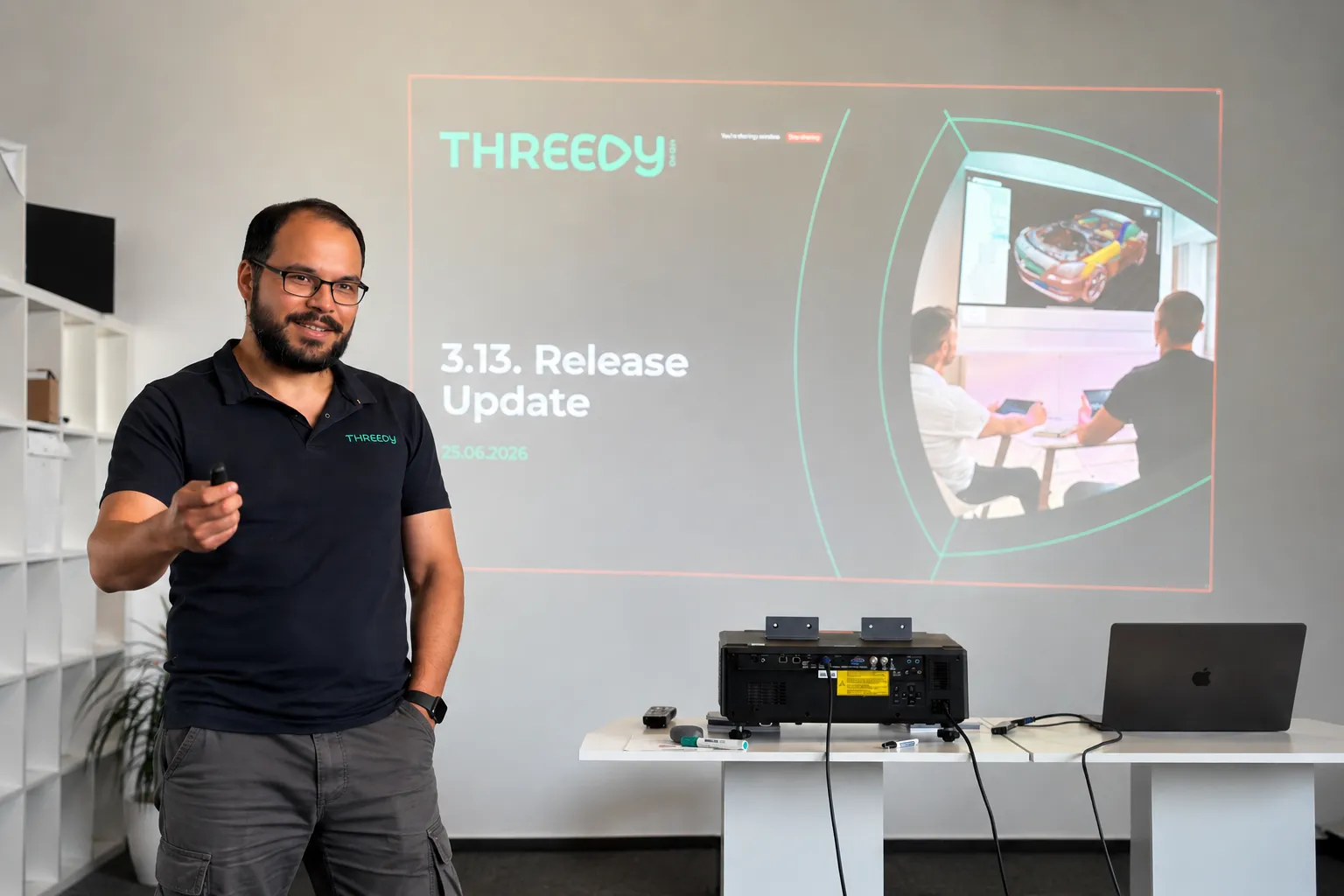
What's New in instant3Dhub 3.13: The AI Edition
Every AI conversation right now eventually lands on the same question: what does this actually change about how people work? For 3D data, 3.13 is our first answer.
The headline feature is the MCP server. It's experimental, it's built into every deployment, and it's the first time an AI assistant can talk directly to a 3DSpace - not to a description of the data, but to the 3D data itself.
Here's what that means in practice, and what else changed in this release.
AI assistants that work with your CAD data
The MCP server ships with every instant3Dhub 3.13 deployment. No separate setup. You connect with an MCP-compatible AI assistant - Claude, Cursor, VS Code Copilot, others - point it at a 3DSpace, and it can start working with your 3D data.
What it can do once connected:
- Query and navigate the product structure
- Read and write node properties - visibility, color, metadata
- Transform nodes: position, rotation, scale
- Create, update, and remove annotations
- Define and modify clip planes
- Take measurements: distances, volumes, surface areas
That means prompts like "find all parts where the material is set to aluminum" or "hide everything except the engine subassembly" work as you'd expect. The assistant isn't approximating based on a text description. It's querying the actual scene.
One thing worth being explicit about: MCP tool results - node names, metadata, measurements, scene structure - are sent to the LLM as part of the conversation. The LLM provider never connects to your network, and 3D mesh geometry is not transmitted. If your models contain classified metadata, check with your security team before connecting an external AI assistant.
We're shipping this as experimental. That means it's ready to build on, but it can change quickly and we want your feedback on it.
In 3.13, we've reworked the Query API to support runtime state and nested logic. This is the infrastructure the MCP server sits on — and it also matters directly for developers building on top of instant3Dhub. Less friction, faster results, fewer edge cases.
The 3DSpace as a more manageable
The 3DSpace is where teams work together on 3D data - synchronously and asynchronously, without passing files. 3.13 makes it easier to link, share, and operate:
- Custom space IDs - open a space with a user-defined identifier instead of an auto-generated one
- Define when a 3DSpace gets fully deleted with retention policy via values.yaml
- Multi-user apps with MemberAPI integrated, legacy XRMembers removed
- SessionAPI removed - fully migrated to SpaceAPI; if you're on an older integration, now is the time to update
Other things worth knowing about:
Performance: Lower cloud costs and faster performance. GPU memory usage is down and rendering budgets are more predictable, so you get more out of less hardware. The experimental CPU-based culling can take load off the GPU entirely, cutting the need for expensive GPU instances. Large models render faster, and the GUI freezes some of you hit on heavy assemblies are fixed.
Orientation: Easier orientation in complex scenes. The navigation cube is now HTML-based and shows coordinate axes, so it's quicker to stay oriented when you're navigating large, deeply nested assemblies.
Authorization: Less setup in nested structures. Parent-based authorization is now an option alongside authorizing each node individually. Let children inherit authorization from their parent and you skip a separate auth request for every node. Fewer requests and less overhead, especially in deep hierarchies.
Interoperability: More of your Teamcenter data comes through cleanly. Better handling of JT content (including threaded features) plus basic support for PLM XML and JT assemblies exported from Teamcenter.
Usability: Measurement and search, faster to use. Measurement mode is now one click from the toolbar. In double measurement, your first target stays highlighted so you don't lose your place. And the search bar gets select-all and clear, handy when you're working through long result lists.
Operations: Simpler ops and deployment. Helm upgrades now restart affected services automatically, external database setups no longer need Ansible, and serial keys can be managed through Kubernetes secrets. Less manual work to deploy and maintain.
Security: We fixed XSS vulnerabilities in the Print Manager, annotations, and webvisUI notify functions.
.webp)
Beyond CAD: Where AI for 3D Data Gets Interesting
AI for 3D data is coming to industrial workflows
This is about AI agents that can work with 3D data to handle tasks that humans currently do. Not tools that help you design faster, but agents that take on whole work steps: reviewing, interpreting, communicating, reporting. The same shift we've seen in text-based knowledge work like legal, now entering spatial data.
This matters because 3D data in industrial companies isn't just sitting in CAD tools. It moves. It goes from design to manufacturing. It goes from engineering to sales. It goes from development to the customer and back. At every handoff, someone has to translate that 3D data into something another person or team can act on. That translation work is manual, expert, and time-consuming. That's the target.

Cross-Company 3D Collaboration Gets a Standard
The Catena-X Geometry Kit
The Catena-X Geometry Kit is a standard for cross-company 3D geometry exchange, now part of Tractus-X. It defines how to describe, publish, and consume 3D geometry across company boundaries building on the Catena-X architecture and advantages.
Building on Catena-X, the Geometry Kit enables sharing of 3D geometry data in a dataspace between companies: a setup where multiple organizations share data in a controlled, decentralized, and interoperable way, without giving up ownership of it. The Eclipse Dataspace Connector (EDC) is the standardized interface each participant uses to communicate across that space. Geometry is published with a policy attached, scoped to a specific project and partner, with an expiry date. That policy is enforced technically, not just agreed contractually. And because it's a shared standard, there's no bilateral integration to build per partner and others can join the dataspace with low effort.
How It Works in Practice
A supplier publishes integration-relevant geometry through their Digital Twin Registry. The OEM accesses it through their own application interfaced via the EDC. When there's an update, the partner accesses the new version through the same channel. No stale copies sitting on their side to track down. When the project closes, the supplier revokes the policy and access ends automatically.
.webp)
This also handles heterogeneous PLM and CAD tooling without custom integration per project. Standardized interfaces do that work once, at the infrastructure level. If a third organization needs to join mid-project, they connect to the network without requiring changes from anyone already in it.
One thing worth being upfront about: your tooling vendor needs to implement the EDC interfaces. The standard only works if the tools in the room support it.
Where instant3Dhub Fits
instant3Dhub implements the Geometry Kit on the consumer side. Geometry published via Catena-X streams directly into instant3Dhub for review, clash detection, DMU checks, and collaborative sessions across organizations, without export or conversion.
We demonstrated this end to end at the prostep ivip Symposium with Schaeffler. Try the demo in the browser. If your organization is evaluating adoption, book a call or reach out at product@threedy.io.
Hannes Krug, Senior Product Manager & AI-Lead at Threedy GmbH
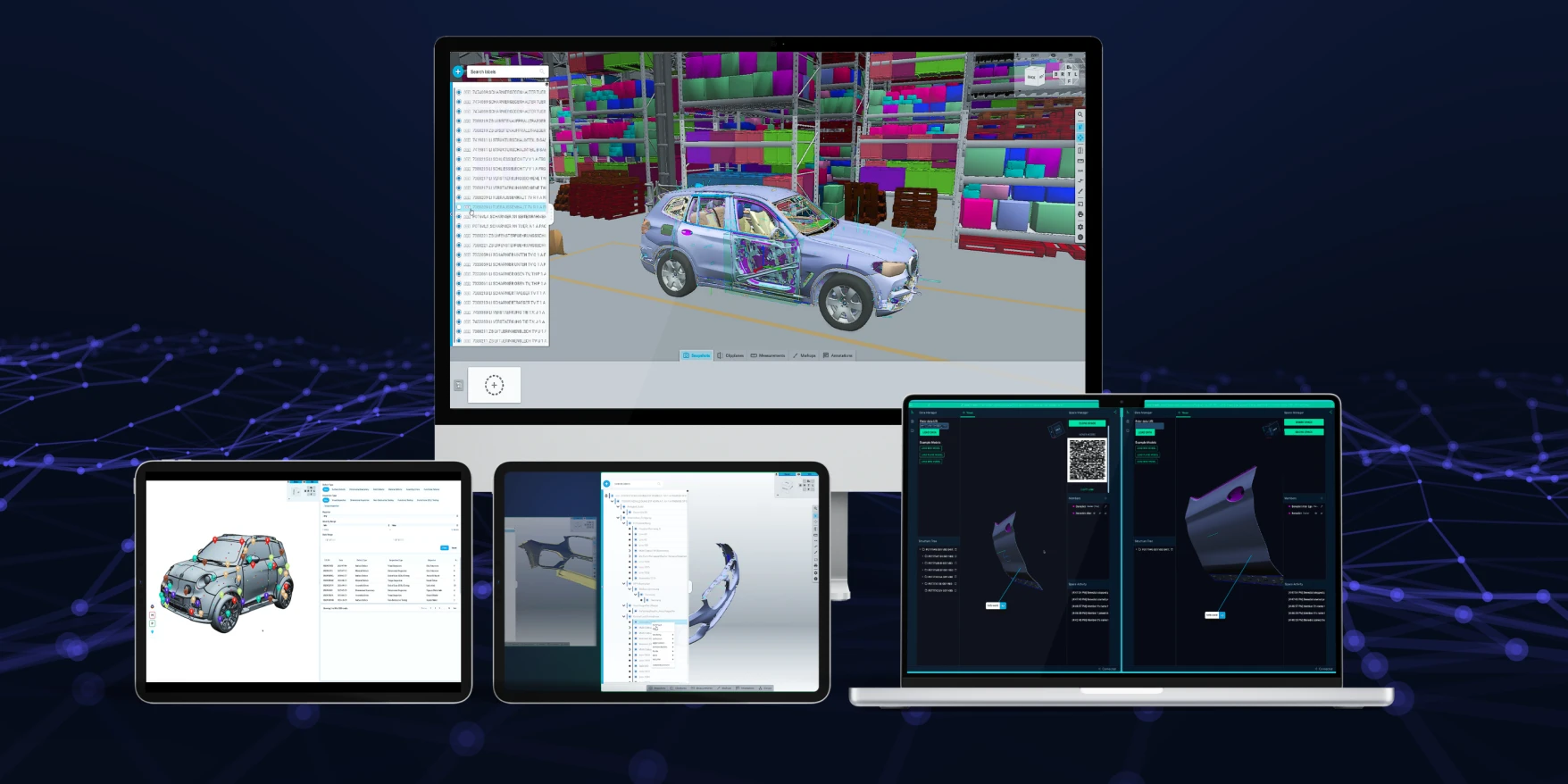
Threedy releases instant3Dhub 3.12
Introducing 3DSpaces
3DSpaces are the spatial workspace and whiteboard for enterprise 3D CAD workflows and applications. It is where teams come together to prepare, structure, and manage the context around complex data, ensuring that projects can move forward with consistency and clarity. From design reviews and ramp-up alignment to training programs, from sales to service documentation, the 3DSpace provides a durable foundation that supports both daily tasks and long-term initiatives.
With instant3Dhub 3.12, we are introducing initial 3DSpace Management to establish the 3DSpace as a persisted, reusable workspace. You can now configure and persist 3DSpaces as part of your workflows.
We’ve created an example as part of the release and are looking forward to your experiments and experiences with the 3DSpace. If you want to learn more, if we’ve gotten your neurons firing - lets talk!
3DSpace Members, Actions and Roles
As enterprises scale up their use of instant3Dhub, collaboration in the 3DSpace will become dynamic and take different forms, depending on your teams. Teams run global design reviews, remote training, and cross-department workshops. With instant3Dhub 3.12, we are introducing three foundational capabilities to give you the freedom and creativity to manage this collaboration: Members, Member Roles and Member Action. These capabilities bring clarity, structure and efficiency to enterprise 3D CAD collaboration.
Every 3DSpace participant is defined as a Member, represented with default and customizable metadata. This improves transparency during collaboration and makes it easy to understand who is present and how they can contribute.
For developers, the new MemberAPI provides programmatic access to member lists and metadata, enabling tailored workflows and dashboards. Developers can now build role-aware interfaces and adaptive UIs.
Accidental changes or miscommunication can lead to confusion in meetings or projects. To give you a head start in mapping your workflow to the 3DSpace, we are also introducing Member Roles. In this release, they do not differ in behavior but only serve as labels that you can use for dynamic UIs. In the future, we will expand this to define levels of responsibility and permissions. The 3 initial roles are Owners, Editors and Viewers.
Roles are available as part of the MemberAPI and will both streamline existing workflows and power new Use Cases. We’ve designed the system for extensibility so more roles could be introduced in future updates. We’re interested to learn what other roles you might need or if you would prefer the ability to configure custom roles and permissions.
Synchronously Collaborate by Following or Guiding other Members
Being present together in the same 3DSpace is valuable, but alignment matters even more. The new Follow/Unfollow Member Action allows participants to see exactly what another member is looking at. You can use it to e.g. build a “present to all” feature in your application.
For developers, the MemberAPI exposes follow/unfollow functions and events, so custom UIs can show who is following whom. We’re already working on a specialized jump_to_view function that can be used for momentarily jumping to the camera view of a member.
Magic Links: One-Click, Role-Aware Onboarding
Onboarding dozens of stakeholders into a 3DSpace doesn’t have to be time-consuming or complex. With 3DSpace Magic Links, Developers can now generate links that automatically assign the correct role when someone joins. This allows large groups to enter effortlessly with the right role and context instantly.
Early Customer Feedback
“Working together in the 3DSpace is making a lot of preperation and after-work redundant. Everyone gets access to the data in advance and our meetings now flow more efficiently. Follow mode has made our design reviews much smoother. Instead of spending minutes aligning everyone’s view and opinion, we just guide them directly.”
- Product Owner, Engineering Intelligence for a large Automotive OEM
Introducing Points of Interest: Smarter 3D Collaboration and Orientation
We're introducing POIs so your mechanical & quality engineers can now mark additional information or features like screws, bolts or brackets. If you want to get creative, the same pattern can be applied in service, sales or manufacturing workflows - you choose the setting. POIs are customizable - choose the position, style, color and icon as you seem fit. POIs can be loaded on demand from any source or can be added dynamically in the 3DSpace. Use POI events like "hover" or "click" to build interactions. We’ve created an example as part of the release and are excited to see how you add POIs to your app!
Introducing USD Support
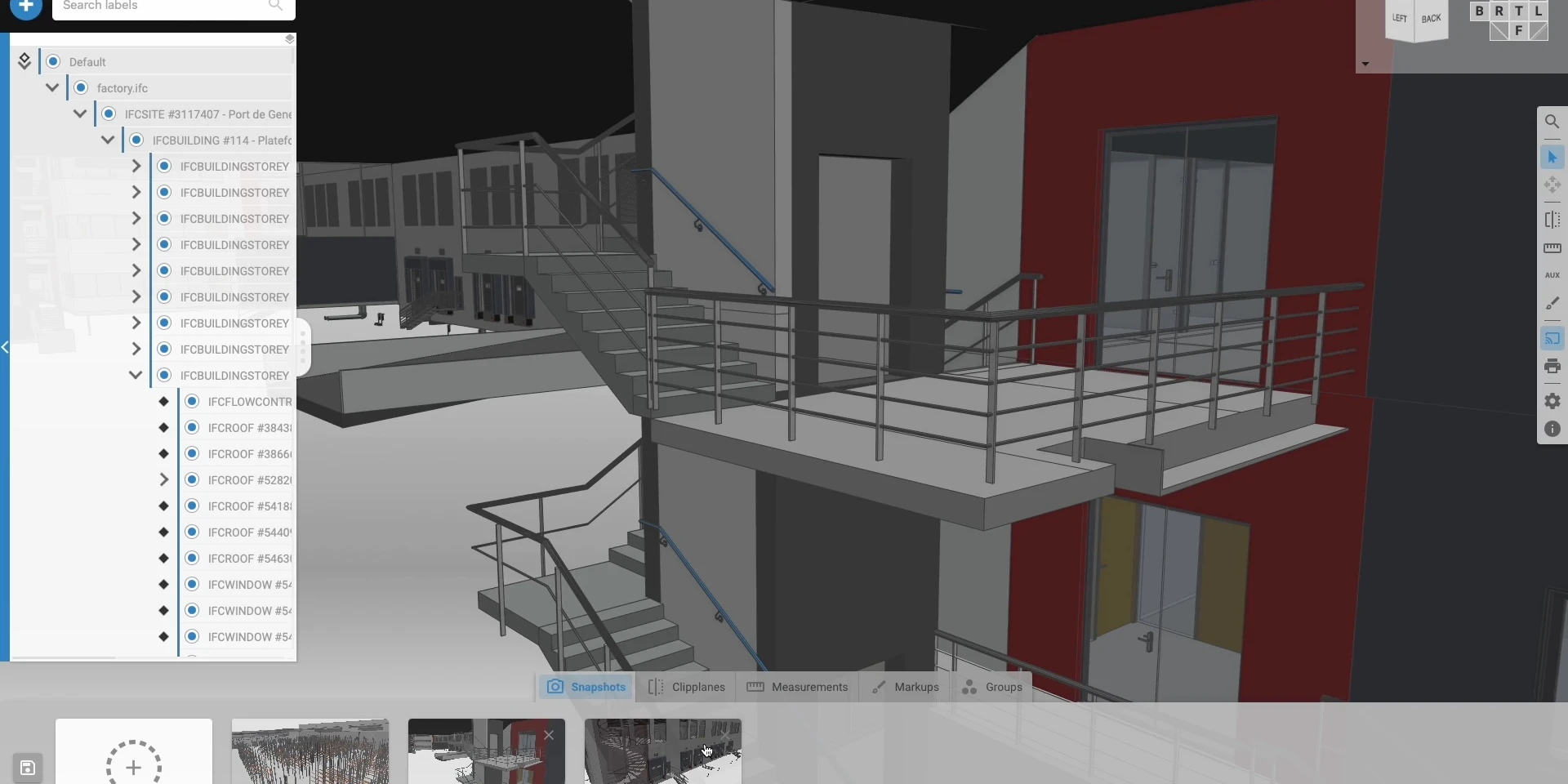
With the latest 3.12 release, instant3Dhub introduces support for Pixar’s Universal Scene Description (USD) format - making it possible to open and explore .usd, .usda, .usdc, and .usdz files right next to CAD or BIM data in one shared 3DSpace.
Until now, USD and CAD content often lived in different tools and environments. With instant3Dhub, you can now explore both formats side by side - interactively, collaboratively, and even in VR.
Now with CATIA Body Node support
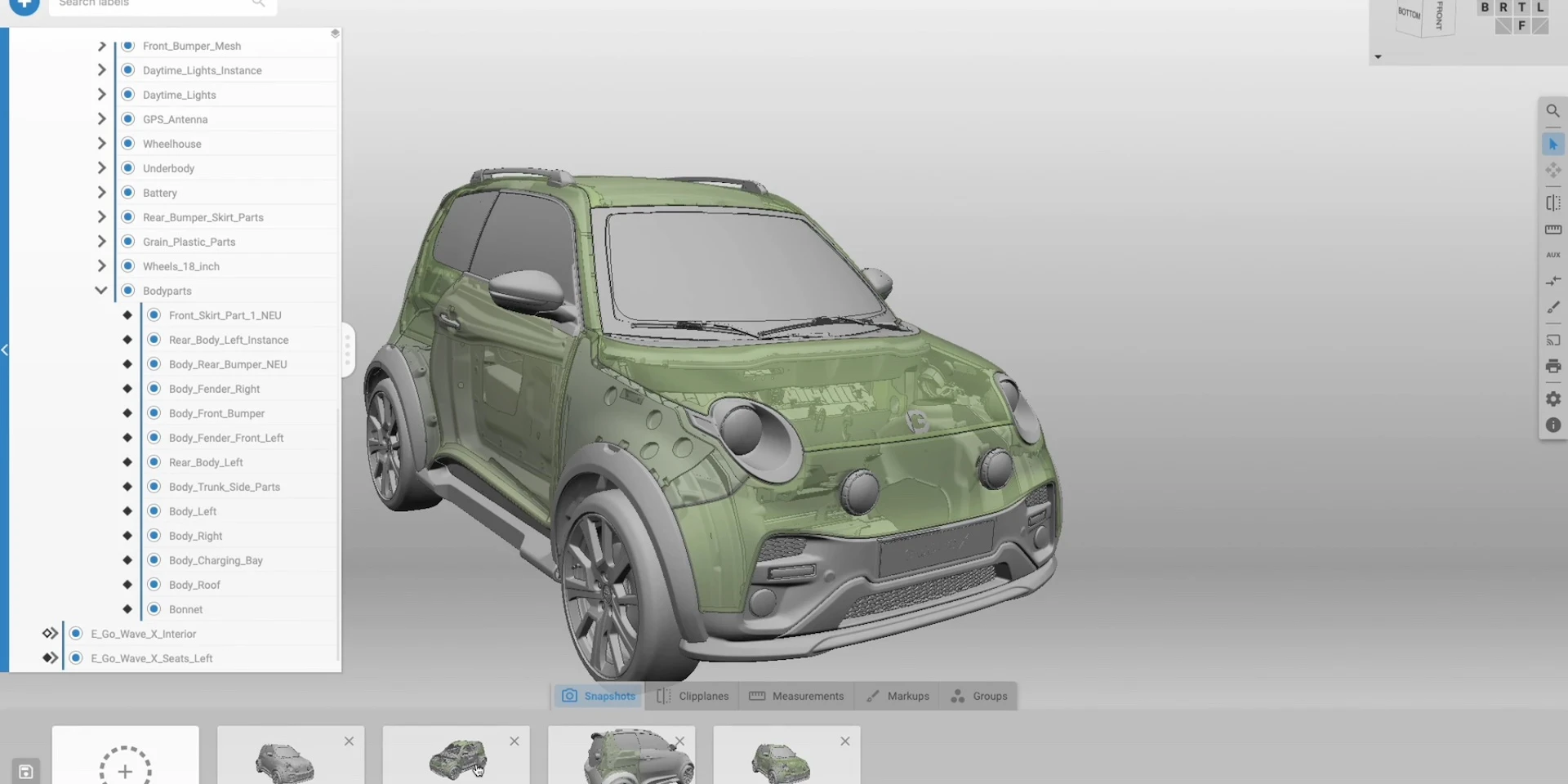
With the 3.12 release of instant3Dhub, engineers and product teams can finally explore CATIA Body Leaf Nodes in full detail. Previously, you could only visualize parts at the top level. But now, with Body Node resolution, you can dive into individual solid bodies within a part, explore optional construction/invisible geometry and maintain CATIA metadata and model hierarchy with even higher fidelity.
This update unlocks true structural transparency for CATIA workflows in automotive, manufacturing and more with instant3Dhub.
Other Improvements
- Introduced support for retrieval of adjacency relations of topological elements
- Added support for storing XRImage backgrounds along Snapshots
- Added new MeasurementAPI function measureNormal
- Added ability to attribute system usage to specific user groups, through the USAGE_GROUP setting or derived from JWT claims
- Improved loading performance of large structures
- Improved performance of most MeasurementAPI functions
- Added support for ghosting and three-colour comparison in remote culling scenarios
- Added support for dashed and dotted line style Polylines
Updates to our documentation continue
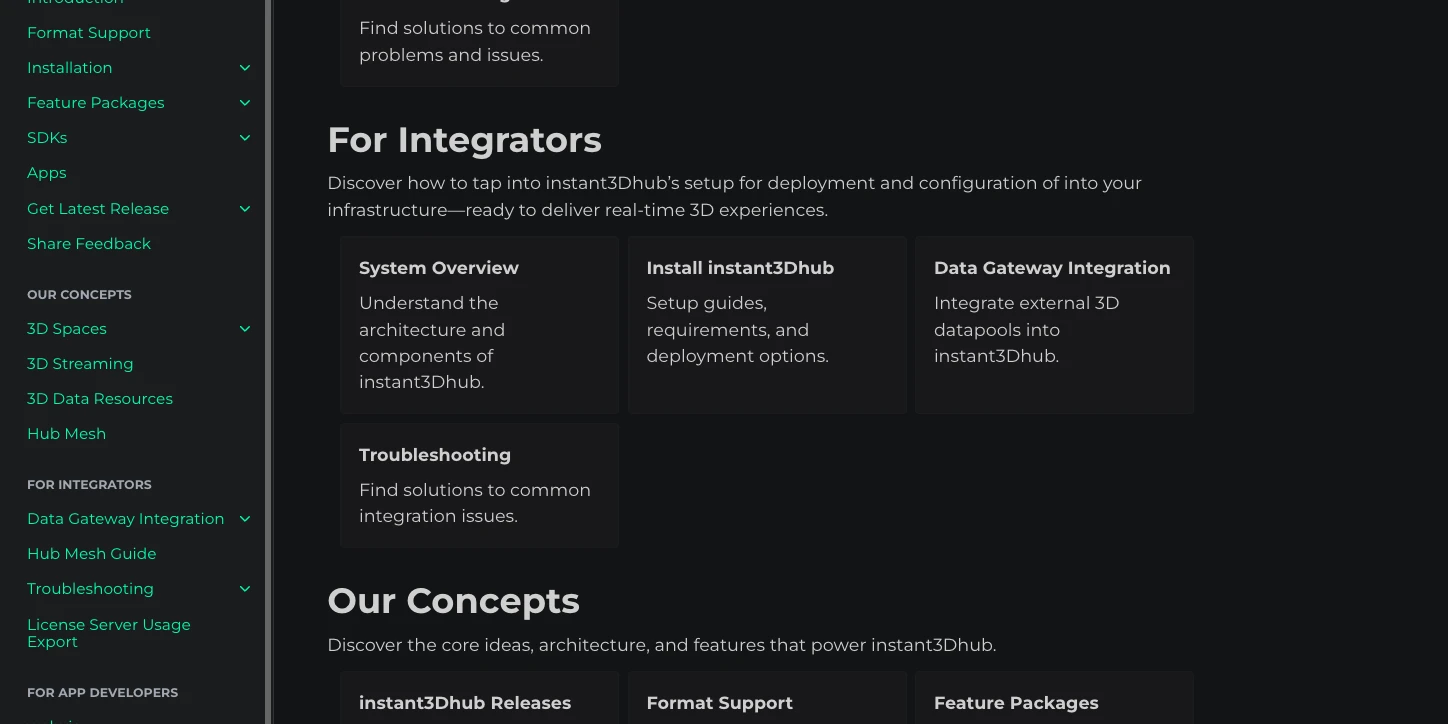
In parallel with 3.12, we’re introducing major updates to our documentation - designed to make it more focused, accessible, and relevant for App Developers and Integrators.
New Landing Page and Navigation
When visiting the documentation, you’ll now be greeted by a new landing page, designed as the central entry point for exploring instant3Dhub’s capabilities.
To make navigation easier, the menu has been adapted to reflect the new structure. From there, you can start navigating through our updated sections:
- For App Developers - access the comprehensive webvisAPI reference or tutorials.
- For Integrators - learn about system architecture or instant3Dhub installation.
- Our Concepts - explore the core principles and architectural pillars that define instant3Dhub.
Announcing AI-Powered Search
Alongside this new structure, we’re announcing an upcoming AI-powered search feature. It will allow you to ask questions like:
- “Which formats does instant3Dhub support?”
- “What are 3DSpaces?”
and receive concise, context-aware answers - generated by our large language model.
Getting Started with 3.12
As always, head to our release channel to get the latest images or to our documentation for the full changelog.
We’re excited to see how you will use instant3Dhub 3.12 in your apps. Happy innovating! 🙌
RepositoryDocumentationSupport

Catena‑X goes 3D with Threedy
We built the first prototype—and it’s ready now
At the start of 2025, we developed a working prototype that proves how 3D engineering data can travel through Catena-X aspect models and open instantly in the browser. The demo is available today and shows what’s possible: traceable, governed, and shareable 3D across company lines.
Shaping the standard with industry leaders
Because no 3D standard exists yet in Catena-X, we are actively shaping it together with Mercedes-Benz, Schaeffler, ZF, Bosch, and others in the Catena-X Engineering Working Group. Our shared goal: deliver the first version of a 3D exchange standard by the end of 2025. That milestone will set the foundation for scalable, real-world use cases across the ecosystem.
Future use cases the standard will unlock
Once the 3D standard is in place, industries will be able to enable high-value scenarios across the Catena-X network—especially elevating supplier-OEM collaboration through seamless, standardized data exchange:
- DMU analysis: check collisions, measurements, and fit without file transfers.
- Packaging & Space analysis: review packaging constraints in shared live sessions.
- Design reviews: align stakeholders in-browser and capture decisions in context.
- Supplier handover: deliver the right geometry at the right fidelity, fully traceable.
instant3Dhub: the building block for 3D in Catena-X
instant3Dhub is positioned as the infrastructure layer that will support the emerging Catena-X 3D standard. It connects directly to backend systems, aligns with aspect models, and streams 3D to any browser in real time. With instant3Dhub and its product extensions like webvisApplication, it provides everything companies need to implement and get started with productive company collaboration use cases—enabling seamless, collaborative 3D workflows right out of the box.This makes it the natural solution building block for future Catena-X use cases.
- Direct backend integration: stream from where data lives—no exports.
- Standards-ready: built to align with Catena-X aspect models.
- Real-time collaboration: share large models live via one link.
- Enterprise scale: handle assemblies and access rules at speed.
The path ahead
The prototype is here today. The first 3D standard for Catena-X is targeted for the end of 2025. And with instant3Dhub, companies will have the foundation to adopt once, then scale 3D collaboration across programs, suppliers, and tools.
Ready to shape the future of 3D collaboration?
The best way to get involved is to start now:
- 👉 Explore the demo here and see how 3D flows through Catena-X in the browser.
- 👉 Contact our team directly to discuss how you can participate.
- 👉 Or reach out to me personally on LinkedIn to continue the conversation.
Let’s build the Catena-X 3D standard once—together—and unlock collaboration at scale.


Teaching 3D CAD to AI - Context-Selective 3D Data Access
Bridging the Gap: The Challenge of Providing AI Models with the 3D Data
Concrete AI use cases are now emerging where companies train their own models tailored to domain-specific engineering challenges. Mechanical engineering teams are moving beyond pure research into early applications, with growing opportunities to leverage 3D CAD data for specialized training. To make these models effective, however, reliable access to high-quality 3D data is crucial — the better the training data, the better the model. At the same time, 3D data remains difficult to access on a larger scale.
Introducing "Context-Selective 3D Data Access for AI Model Training”
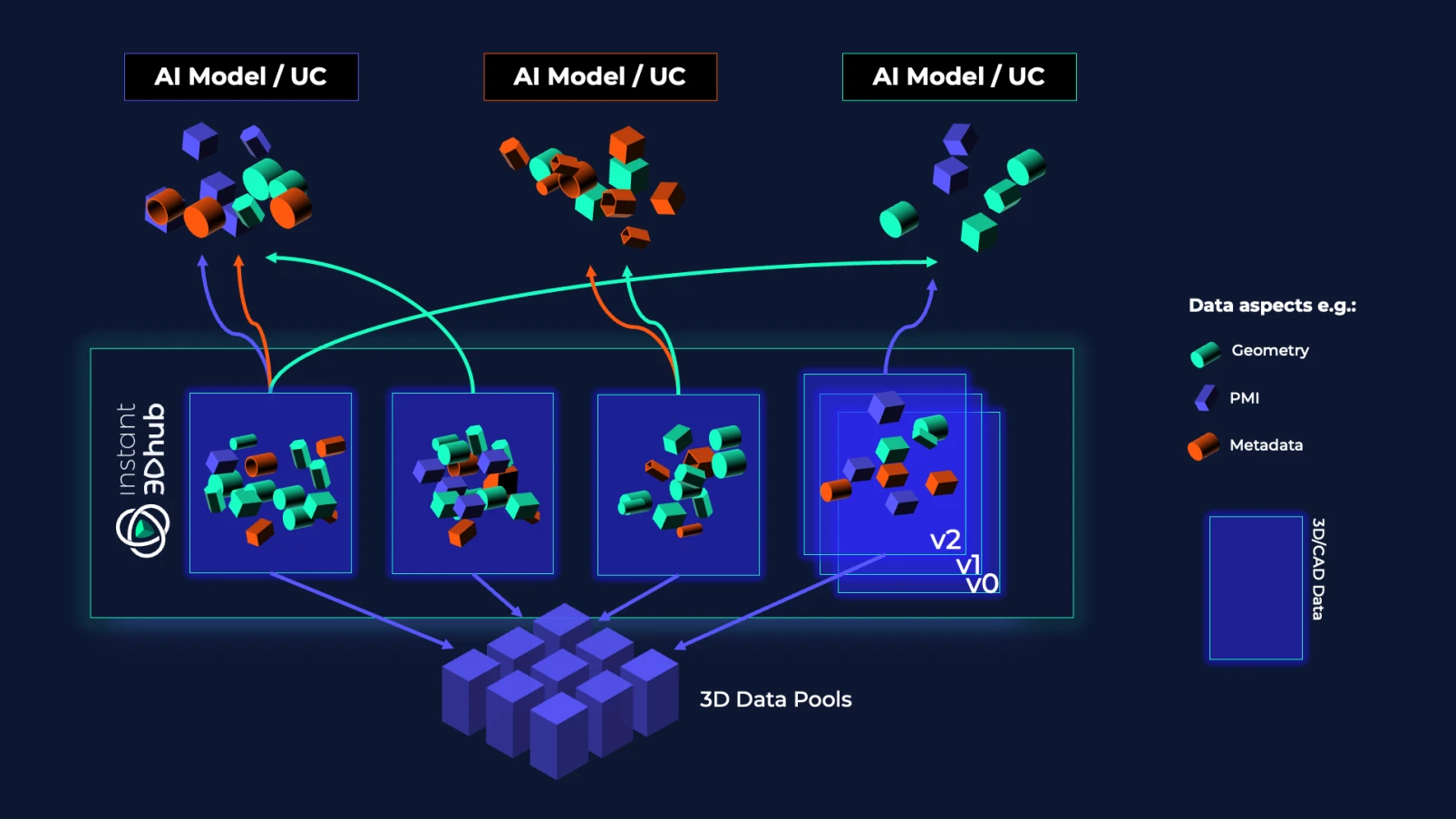
We’re exploring an approach we call Context-Selective 3D Data Access for AI Model Training.
With instant3Dhub, users can curate and provide only the most relevant 3D data elements for each use case, rather than entire data sets. This targeted selection enables more efficient and effective AI training.
Instead of supplying full CAD assemblies—like handing over an entire textbook when only one chapter is needed—we extract and deliver only what’s required, such as:
- Product structure
- Geometry definitions
- Metadata
- PMI and model views
- Other context-relevant 3D data entities
This isn’t about reducing data quality; it’s about intentional, context-aware training that drives better results.
Purpose-Built Infrastructure: Making 3D Data Accessible for AI
instant3Dhub is designed to support domain-specific AI training at scale by connecting directly to existing data backends, such as PLM systems, and preparing 3D data for real-time, on-demand streaming through a unique caching mechanism.
All relevant data - structure, geometries, metadata, etc. - is accessible via 3D Spaces: digital work rooms where information is coherently structured and accessible.
Developers and AI engineers interact with these 3D Spaces via APIs, enabling:
- Intelligent curation: Extract only the contextually relevant 3D data for each training scenario.
- Precise access: Deliver targeted data slices—product structure, geometry, metadata, PMI, and model views—tailored to the training task.
This architecture ensures that training data remains purposeful, scalable, and preserves essential engineering context.
instant3Dhub as enabler between AI Agents and 3D
For targeted training scenarios, this selective streaming architecture shows early promise:
- Less noise in AI training data leading to better model results
- Stronger traceability from source data to AI model outcomes leading to
- Tighter feedback loops between engineering expertise and model learning leading to faster results and higher quality
Looking ahead, instant3Dhub is set to play a key role connecting AI and 3D engineering data. With structured, real-time access through APIs, instant3Dhub can become the essential infrastructure that makes 3D data truly usable for AI. This idea will be explored more in future articles, but it already guides how we make data accessible and ready for AI agents.
This is Just the Beginning
We are early in our journey. Some features, like on-demand extraction in an AI Training scenario, are possible but still experimental. Moving these into scalable product offerings will need more validation and collaboration. Early use cases however show strong potential for AI integration in engineering.
We are also exploring deep integration with knowledge graphs to improve connections between data entities and unlock richer context for 3D engineering data.
If you’re facing similar challenges with making CAD data usable for AI, write me via LinkedIn or our usual channels.
Threedy releases instant3Dhub 3.11
This release includes features you’ve requested plus performance boosts and quality upgrades. We thank our customers, partners, early adopters and the entire Threedy Team for their support in this release. We take pride in the collaboration within our instant3Dhub community and look forward to more innovations together. As always, head to our repository to get the latest images or to our documentation for the full changelog. To see what we're exploring and developing next, check our open Product Talks.
Download via Repository Changelog Talk to the Product Team
New Features
One of the most visible additions to webvis in 3.11 are the new drawing modes and shapes. Add Shapes and freehand sketches directly onto 3D models in instant3Dhub. Drawings can now be scaled, rotated, erased and adjusted easily. Collaboration and documentation is now easier than ever, just quickly add a sketch to your model. What shape or functionality for drawings should we add next?
Another major highlight is the powerful upgrade to our MeasurementAPI, which now makes it significantly easier and more flexible to build advanced use cases. You can now directly view and create detailed intersection results - including curves - as both outputs and inputs of your measurements.
Among the new features, you will also find several tagged as experimental. Definitely try them out and experiment to see how these unlock new capabilities for your 3D apps:
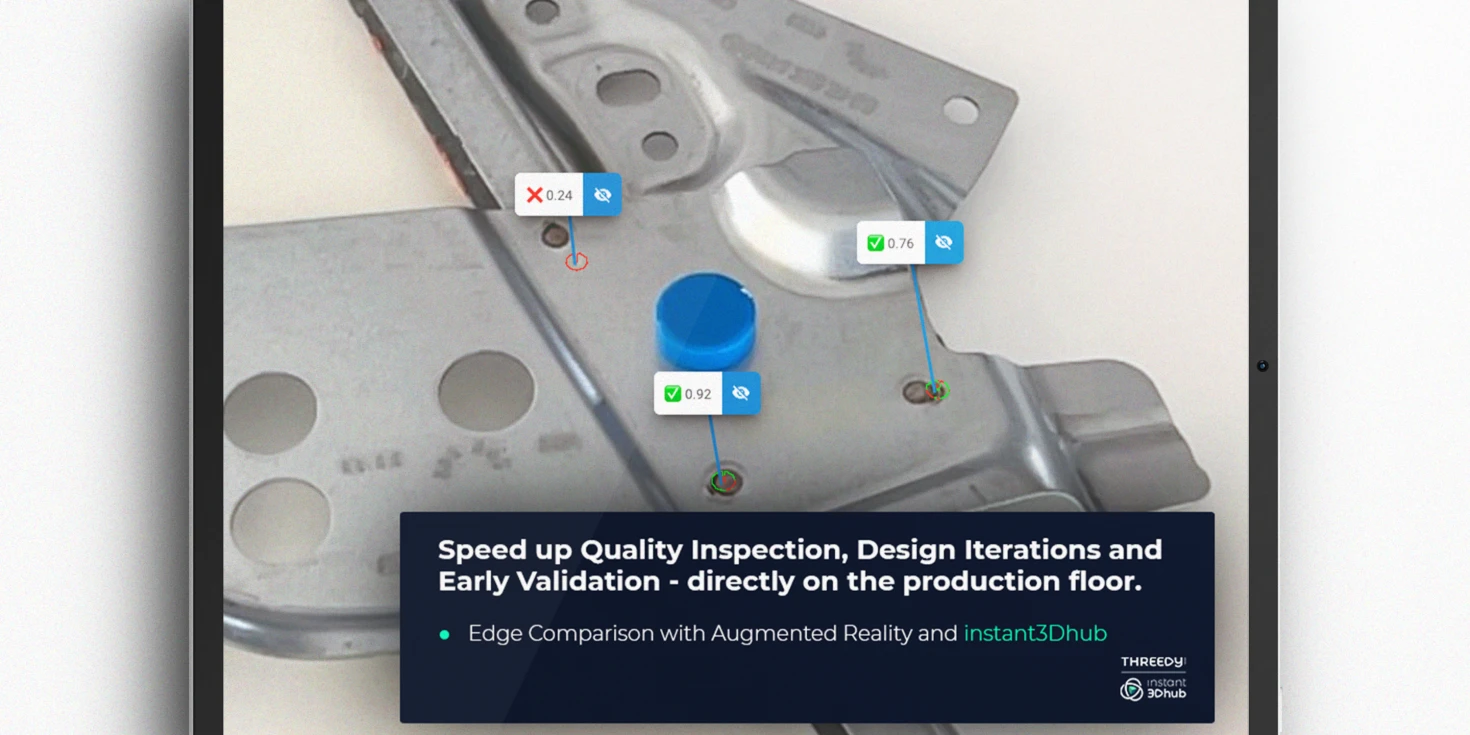
- Added a new XRTextureScanshot API which maps real-world camera data onto the 3D model, enabling users to instantly identify and address quality deviations. Scan hardware and create high-quality representations directly with instant3Dhub – perfect for documenting real-world conditions and comparing what is vs. what should be.
- Added new XR surface anchoring method for placing 3D models into real-world spaces. Surface-aware anchoring lets you position models accurately, locked precisely onto surfaces such as floors, walls or tables.
- Added a new requestXRAutoDetectScores feature to the ViewerXREdgeCompareAPI, automating and improving the accuracy of physical product quality validation. Engineers and developers can now automatically detect geometric deviations directly in the viewer.
- Added new ViewerHeatmapAPI to seamlessly integrate real-time, interactive heatmaps into 3D apps and engineering workflows. By overlaying complex data directly on 3D models, engineers can analyze performance metrics, detect anomalies, and optimize designs – without leaving their familiar environment. Built for scalability, customization, and efficiency, this API unlocks new ways to visualize engineering insights.
- Added new MaterialAPI that allows for the creation and management of more realistic materials in instant3Dhub. You can now make your CAD data look more metallic or plastic.
New Unreal Plugin and Updates to JxVis and iOS
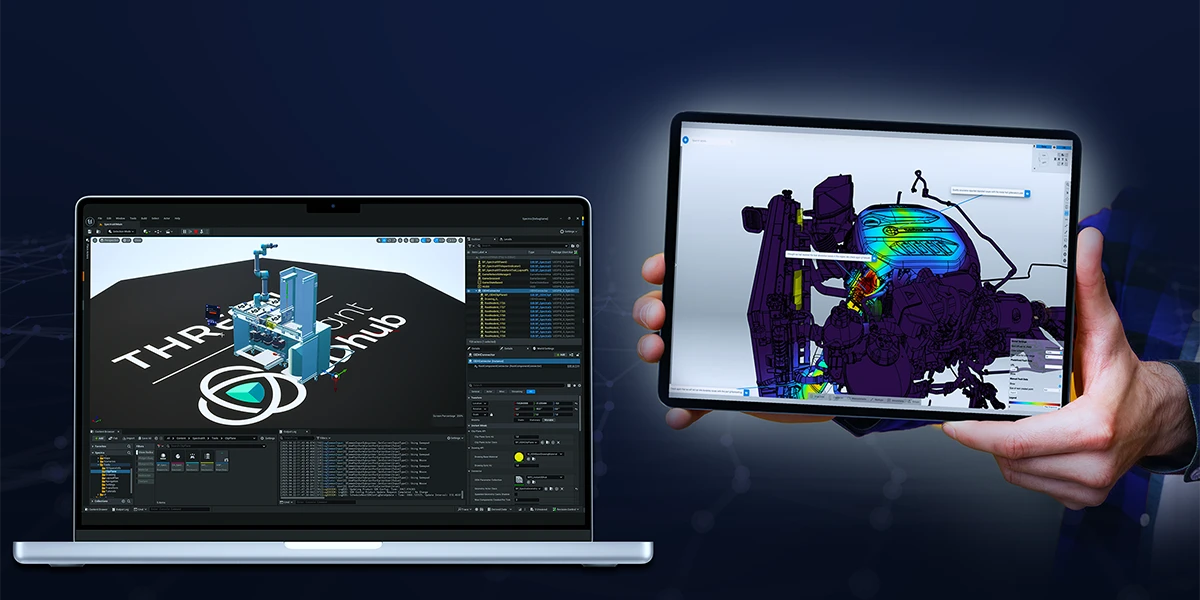
We’re simultaneously releasing our first public Unreal Plugin that enables you to bring your CAD and business data into the Unreal Engine, e.g. for Virtual Reality, without any data reduction or preprocessing. Additionally, we’re releasing updates to our Java SDK “JxVis” and our iOS SDK. The iOS App has also received some stability and performance improvements.
.webp)
Performance Enhancements
- Improved the cache cleaning UX of the Admin interface by showing progress.
- Improved QueryAPI performance when querying over a large set of elements.
- Improved license checking performance.
- Improved transparency rendering.
- Added an automatic transcoding retry limit to prevent queue blocking.
- Improved single measurement precision.
Infrastructure Improvements
While our Usage Based Pricing Model comes with a long list of benefits, manually having to export and send over Usage Reports isn’t one of them - for now. With 3.11 we’re releasing the long requested ability to automate the whole License-Usage Reporting Cycle. Simply provide a serial key via your helm chart installation and instant3Dhub handles the rest.
Other highlights include:
- Introduced a new setting to allow configuration of server side static HTTP response headers, enabling configuration of features such as HSTS.
- Introduced a new setting to allow configuration of separate storage classes for ReadWriteOnce and ReadWriteMany volumes.
Getting Started with 3.11
As always, head to our repository to get the latest images or to our documentation for the full changelog. When upgrading or migrating to 3.11, it is mandatory to configure your serial key via the Helm chart or offline license server configuration. Reach out to your Threedy Contacts or use our support desk if you require a serial key.
We’re excited to see how you will use instant3Dhub 3.11 in your apps. Happy innovating!
instant3Dhub Product Newsletter
The Newsletter is your source for the latest updates, tips, and insights related to New Released Features, Experimental Previews, How-Tos, and many more. Whether you're an experienced user or just getting started, our newsletter is designed to keep you informed, inspired, and engaged.
If you have questions about enabling a 3.11 feature in your environment or want a personalized demo for your team, let’s talk! We’re here to ensure you unlock the full potential of your 3D data.
Talk to an Expert Subscribe now
Threedy releases instant3Dhub 3.10
instant3Dhub 3.10 introduces brand new set of functionalities: New Features and Capabilities
Highlight parts with the ‘ghosted’ property
Sometimes, you might want to quickly locate specific parts, especially within larger models. In the past, if the specific part was located deep in a complex model, this could be a frustrating experience. By splitting the scene into fore- and background, our new, experimental “ghosted” property will improve the location and selection of specific parts. In short, the user will get the feeling of a superhero vision with this new feature!
Add guidance to parts with the ‘outline’ property
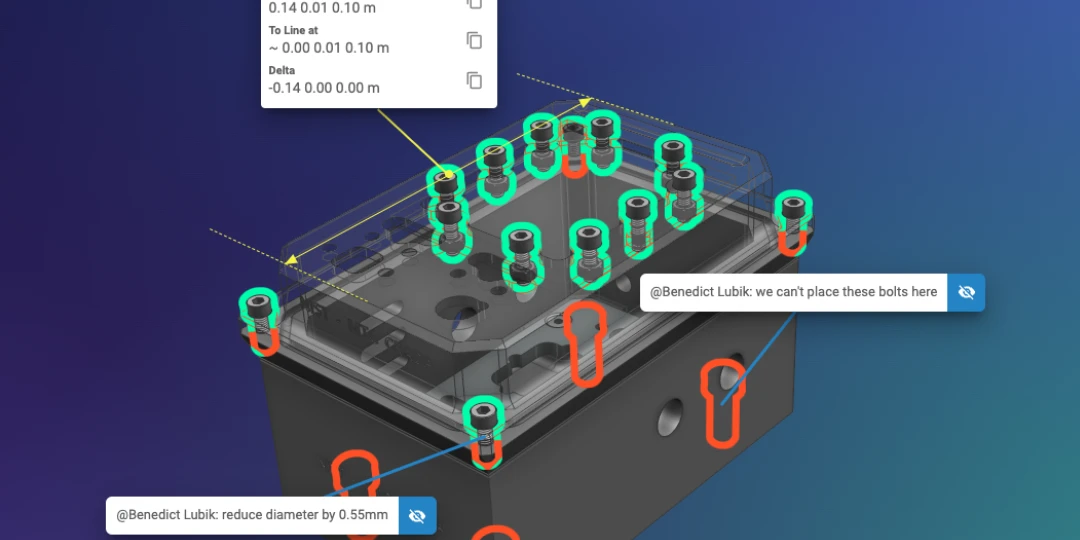
Sometimes, you might want to highlight the location of a specific (selected or unselected) part, especially within larger models. With the new, experimental "outline" property, we are introducing the functionality to highlight the outline (outer silhouette) of a specific part. This is super useful if it’s a very small part in a large model or the part is occluded by other parts. Figuratively speaking, parts are given a halo effect.
Faster XR development cycles with new XRPlaybackAPI
With the XR Playback API, recorded frame sequences can be played back anywhere, removing the need to visit the physical location for each test iteration. The recordings can be used to test new features easily or increase development iteration speed without the need of having a physical device available.
Interested in Augmented Reality (AR) ? Check out our iOS SDK.
Take control of the camera image quality
Added two new settings for XR configuration that allow to adapt compression and resolution to your use case, e.g. if the image quality of the AR Image is too low to detect certain features in the image. For some use cases a higher quality of the background image is required.
Detailed Changelog
Head to the documentation for the extensive breakdown of all changes and fixes.
Major Improvements
Improved Clipplane Gizmo
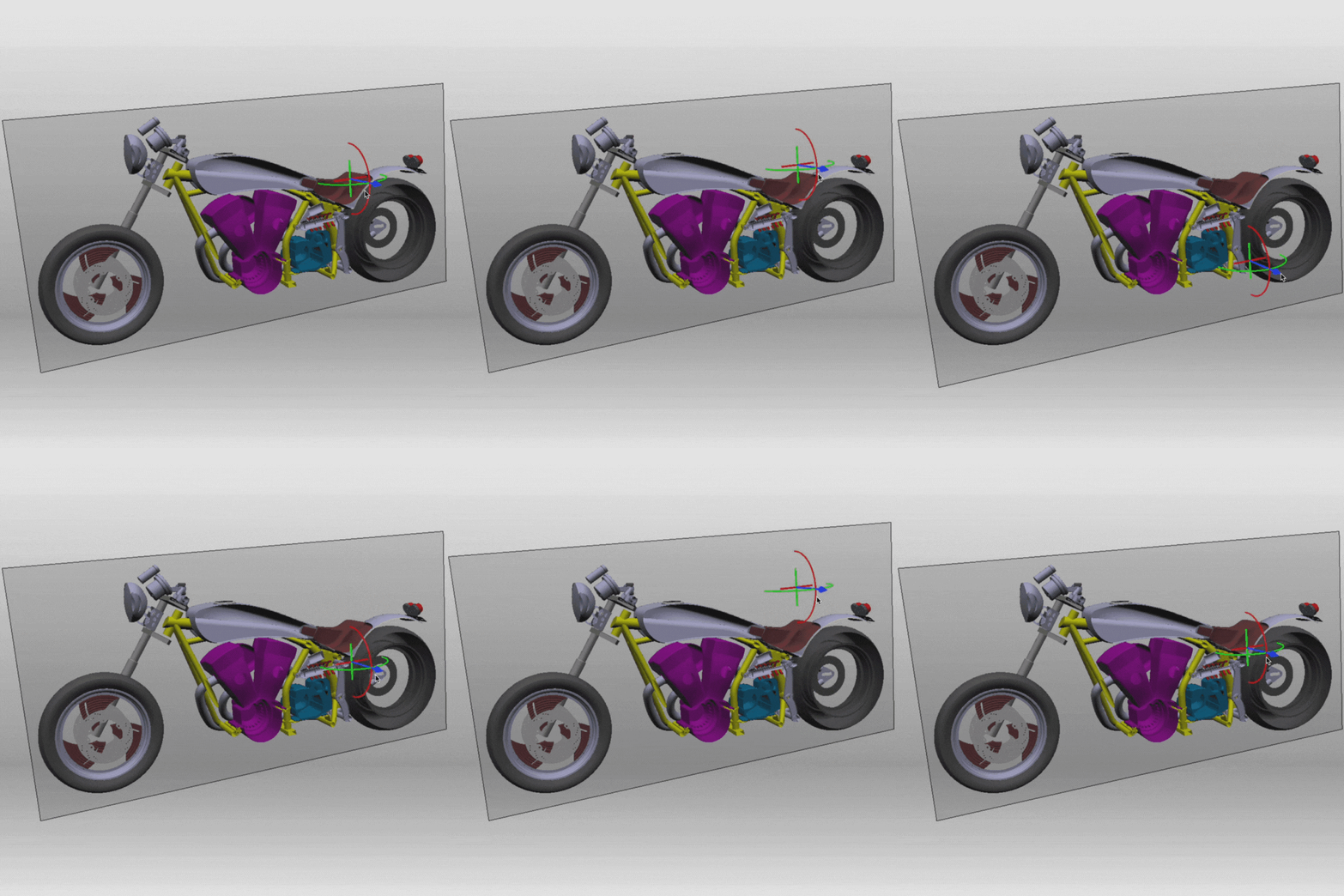
To allow for easy repositioning of the clipplane gizmo, we've introduced additional handles and dimensions for said gizmo that allow to move it on the x and y plane of the clipplane. They can be seen as a "+" on the clipplane in the video.
Simplified Model Alignment for Augmented Reality Setups
Easily set up AR tracking with the new AR Turntable feature. This mode aligns the model's up vector with gravity, allowing for intuitive left-right swipes or mouse drags to adjust orientation along a single axis. Perfect for objects with a stable ground reference, AR Turntable eliminates complex multi-axis adjustments, making model setup quick and efficient on both desktop and mobile devices.
Simplified cluster management for instant3Dhub
instant3Dhub utilizes Kubernetes, a leading container orchestration platform, to efficiently manage deployments and ensure optimal scalability across diverse workloads. With Kubernetes, automatic scaling can be configured to dynamically allocate resources as user demand fluctuates, keeping everything running smoothly.
Building on this, we’ve enhanced cluster management by extending the values.yaml configuration with options to define node selectors and affinities for each service pod. This gives administrators greater flexibility to control resource allocation, enabling instant3Dhub to place each service on the most suitable node type. The result is improved performance and resource efficiency, meeting the high-performance demands of real-time 3D applications.
For the Bold Innovators: Introducing Hub Mesh & 3D Space Transfer
Meet ‘Hub Mesh’—our vision for connecting multiple instant3Dhub instances to enable seamless resource sharing, streamlined authentication, and enhanced data allocation and provisioning crossing departments or infrastructure locations.
Launching this vision, version 3.10 introduces ‘3D Space Transfer,’ a secure, on-demand solution to transfer a 3D Space across instant3Dhub installations. This feature streamlines data access across boundaries making engineering and manufacturing data more accessible and bolstering reliability in offline or low connection scenarios with robust authorization control.
3D Space Transfer marks just the beginning, as our long-term goal for 'Hub Mesh' focuses on expanding resource and compute sharing to drive greater efficiency and scalability. Curious about what Hub Mesh could bring to you? Let’s explore together!
Preview: instant3Dhub 3.11
instant3Dhub 3.11 will bring new Markup and AR Features
On the webvisAPI side, we aim to include new Drawing Modes for drawing basic shapes like rectangles and ellipses and for scaling, rotating and erasing drawings. We are also currently reworking the QueryAPI for improved performance and usability and aim to have at least an experimental version of the changes in 3.11. Furthermore we will add new types of measurements to the MeasurementAPI.
For Augmented Reality (AR), 3.11 will include a functionality for target-actual comparisons and performance improvements. Also, stay on the lookout for new releases for our SDKs for Unreal, Java and iOS.
Want to participate or learn more? Shape the future of industrial 3D and instant3Dhub and have a coffee with our Product Team.
Developers take a look!
Introducing the instant3Dhub Nightly Release
Starting today, we are happy to introduce a Nightly Release for instant3Dhub that brings you closer than ever to our newest inventions! Due to the velocity of this release channel, we do however explicitly discourage from using this release for any productive environments.
To use the Nightly Release, head to
- our helmchart channel: https://repo.threedy.io/api/v4/projects/2/packages/helm/nightlyrelease/index.yaml
- our instant3Dhub release repository
- our documentation to find out more
Introducing Feature Stages
Starting with 3.10, we are making changes to our internal CI/CD pipeline and slowly rolling out feature staging over the coming months. Be on the lookout for Experimental or Preview labels that mark rather volatile, under development functionalities of instant3Dhub. But aren't those the most fun? 👀
Stay Connected!
Benedict Lubik - Product Manager
📅 Want to chat about industrial 3D, instant3Dhub or other collaborations?

instant3Dhub Product Newsletter
The Newsletter is your source for the latest updates, tips, and insights related to New Released Features, Experimental Previews, How-Tos, and many more. Whether you're an experienced user or just getting started, our newsletter is designed to keep you informed, inspired, and engaged.
instant3Dhub 3.9 Released
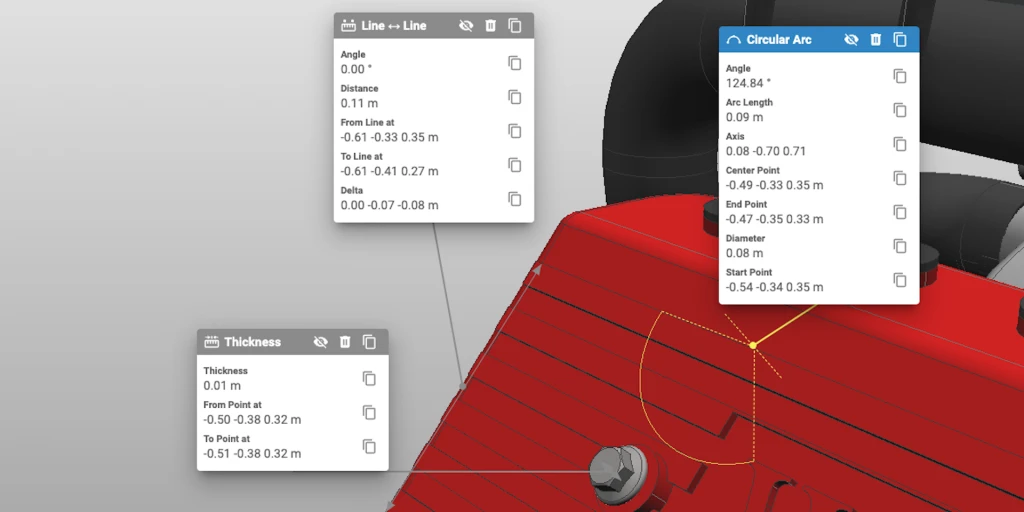
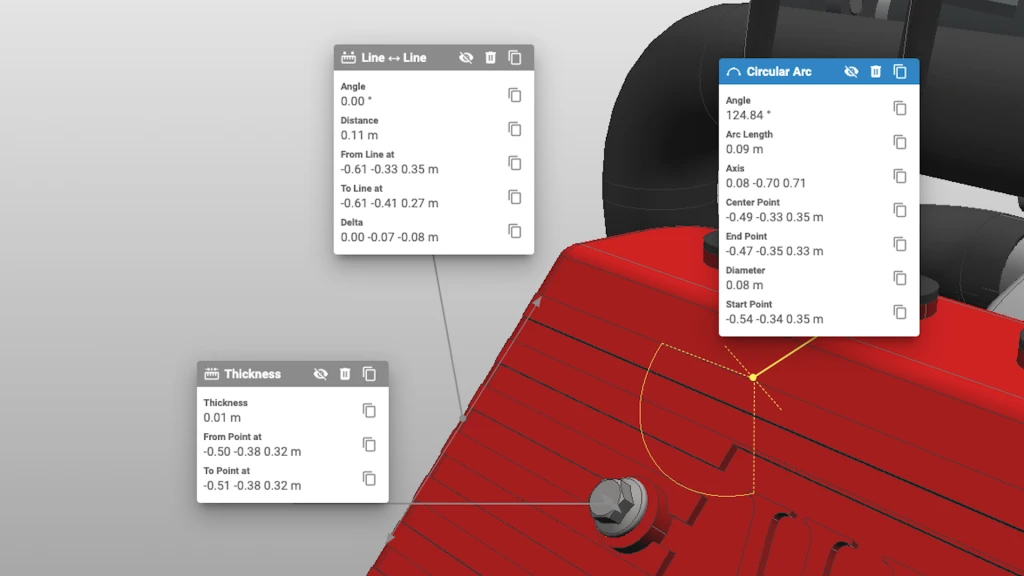
New measurement API: Improved 3D Data fidelity
The latest release of instant3Dhub 3.9 introduces exciting new features, improved APIs, and enhanced usability to elevate your 3D experience.
New Features Highlights
Measurement API: Advanced Measurement Capabilities
- Enhanced Data Structures: Streamlined data handling with new properties and efficient structures.
- New UI Features: Focus-To-View, Camera-Dependent Positioning, and a Copy Button for easy measurement results reuse.
Expanded Context Menu in webvisUI API
- Enhanced context menu functionalities with dynamic positioning, allowing efficient customization and improved user interactions.
Editable 3D Drawings
- New functionalities for easier modifications, including translation, cloning, and deletion of 3D drawings, enhancing design reviews and model-based illustrations.
Stability & Usability Improvements
Safe-Delete for 3D Entities
- Improved stability and performance in managing 3D space entities, with new internal Session Store Format
ClipPlane Enhancements
- Simplified visualisation and intuitive controls for better management of ClipPlanes in 3D Spaces
Updated Documentation Portal
- Revamped portal with light and dark modes, improved navigation, a sleek sidebar, and better mobile responsiveness.
For more detailed information on these updates and more, check out the full Product Newsletter.
Thank you for being an essential part of our community!
instant3Dhub 3.8 Released
Enhanced Topology Element Access
Developers elevate your interaction with 3D models using our latest API update. Directly access topology elements for more dynamic development, including visual interactions, clipping planes, and custom measurement workflows.
- Extended utilization as first-class object
- Expose detailed topology information
- Experimental MeasurementAPI
Stability & Improved Developer Support
Continue working smoothly with our improved system that handles network disconnects, keeping data intact. For developers, the new ServiceStateAPI monitors backend service connections, enhancing user experience.
- ServiceStateAPI: Network disconnect handling, socket communication
- Stability & feedback on network state for app developers
- ViewerStateAPI: React to status changes on the viewer
- NodePathAPI: More robust state synchronization
Visual Effects
- Improved Anti-aliasing
- Ambient Occlusion
- Full vertex colors support
instant3Dhub 3.7 Released
Boost your JT and query performance: Improved performance and stability
The previous release, 3.6. included a larger number of major API and UI refinements. This release as the first of two releases planned for 2023 focuses on performance and stability improvements. In particular, we improved the overall architecture in reaction to increasingly complex gateway and multi-data setups at our customers.
Release 3.7 allows our customers to better respond to their increasing scalability challenges.
New Feature and Updates
- New DrawingPlanes API for improved Markups
- Added a new NodeState property and NodeError event
- Adaptive CPU and memory resources allocation in service layer
- Significant performance optimizations on the meta data query system
- Optimized performance of data authorization for cache access
- Optimized structure loading in webvis
- Updated JT Loader to fix a performance issue
- Fixed missing geometry in some DGN data sets
- Fixed missing PMI texts in some edge cases
- Fixed loading issues with some PLMXML models
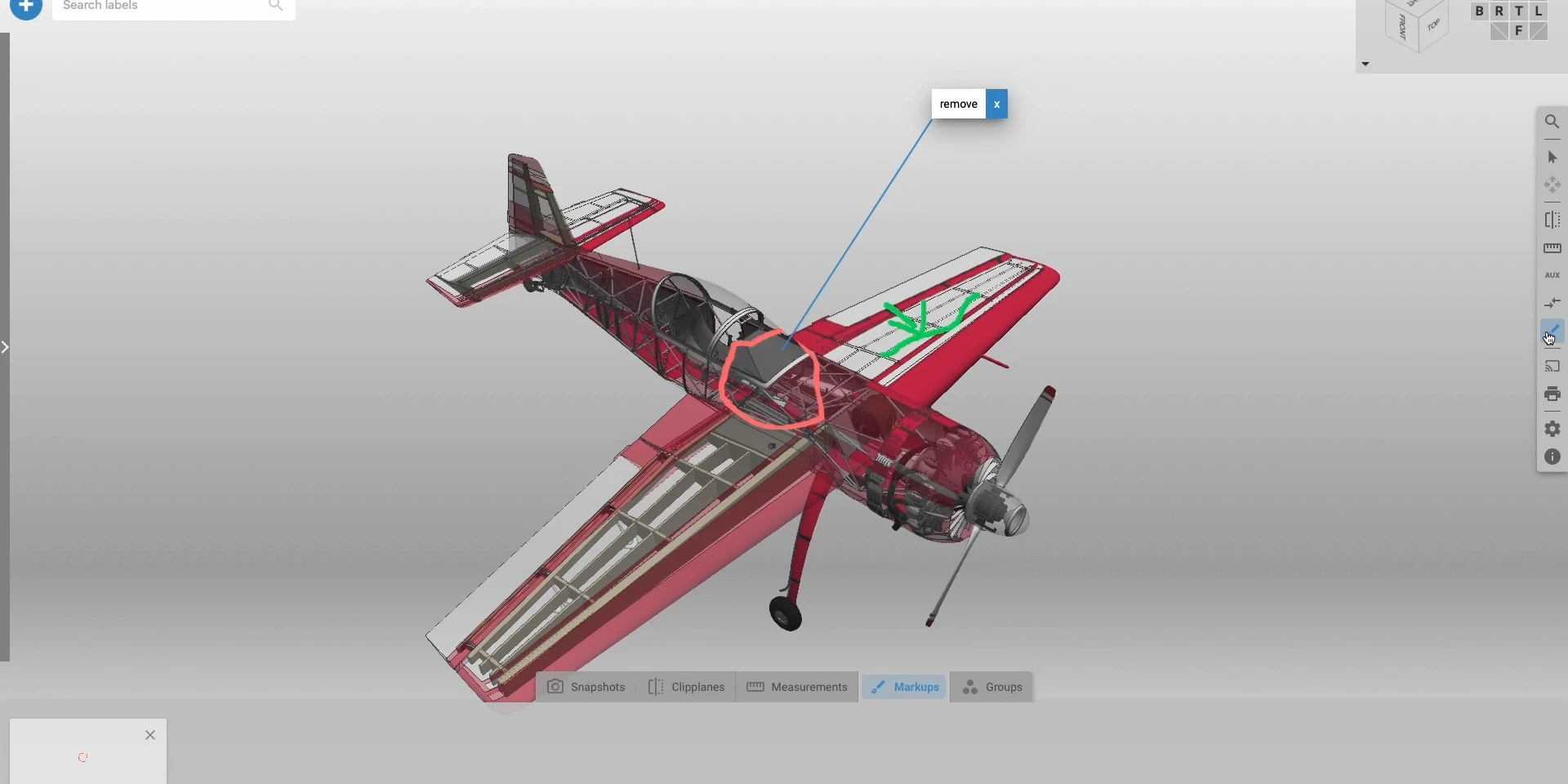
instant3Dhub 3.6 Released
Experience the future: Next level web UI and API
After a few releases with minor UI/API changes in the web client, in the last release planned for 2022, a larger UI overhaul and API cleanup are included. The general UI/API refinements provides a solid foundation for further planned improvements in 2023/2024.There are currently no breaking changes but some APIs are deprecated. Check the migration guide for details.
New Features and Updates
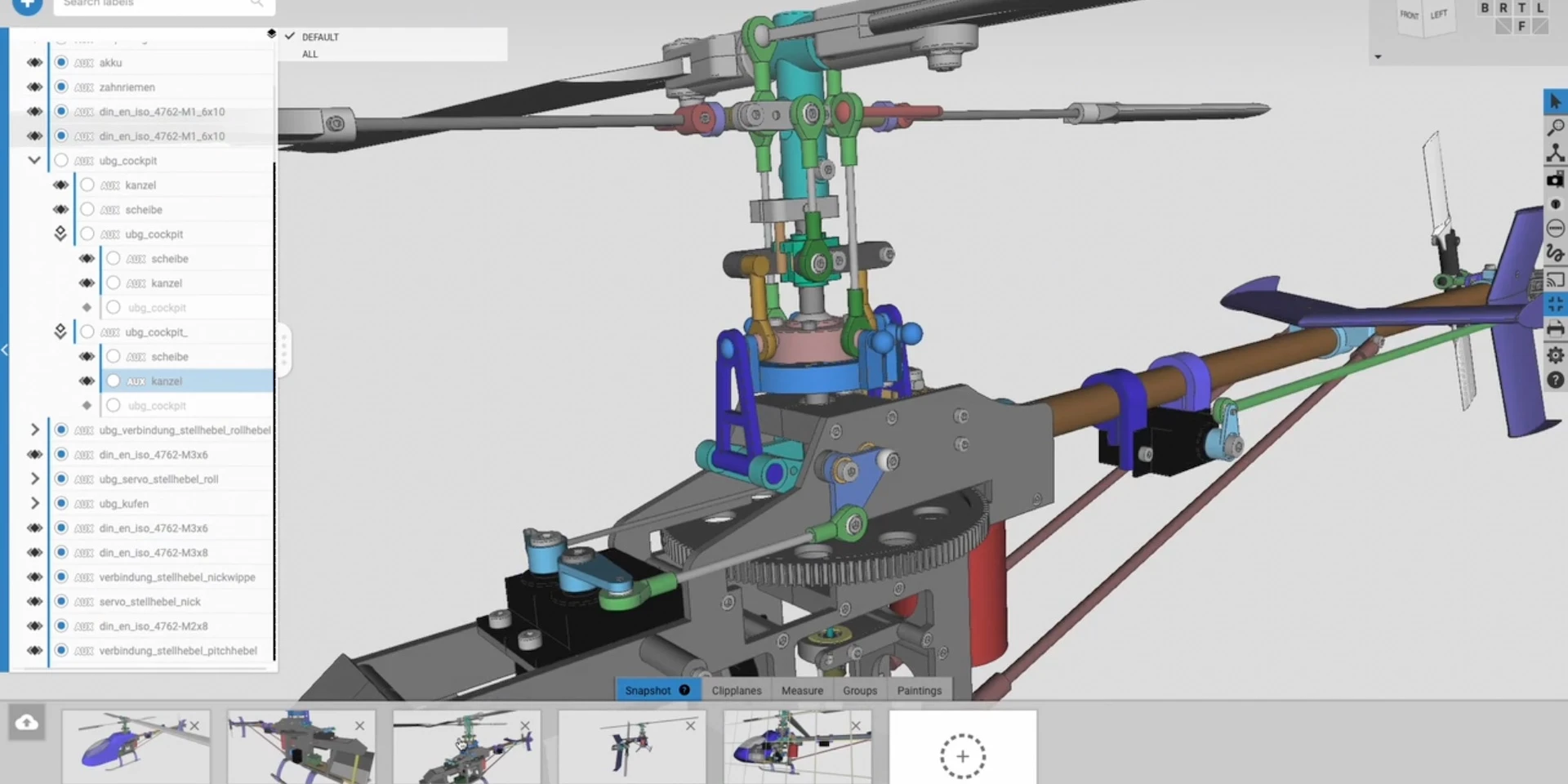
- The look & feel of the web-UI elements are improved
- New DrawingAPI
- New TopologyAPI
- Added monitoring capabilities with Prometheus & Grafana
- Improved the stability of queries
- Fixed a crash with specific glTF files
- Fixed an issue with relative links in some CAD formats
- Fixed an issue with geometry instantiation from NX files
- Fixed loading issues of some dgn models
- Fixed topology visualisation with CATIA files
instant3Dhub 3.5 Released
Boost your intant3Dhub experience: Performance and Stability improvements
The second of three scheduled releases for 2022 comes without major feature additions but a large number of performance and stability improvements, specifically for managed kubernetes and other cloud environments.
Latest enhancements are already in use by major customers to reliably scale their large and complex data landscapes.
New Feature and Updates
- Added support for Datadog as tracing backen
- Added automatic migration for database updates
- Improved snapshot performance and stability
- Improved JT data support and fixed XT-Brep translation issues
- Improved NX data support for linked data configuration
- Improved 3DXML support
- Improved KBL data support
- Improved D_CAD navigation mode

instant3Dhub 3.4 Released
Be part of the journey: XR Roadmap Consolidation
The first of 3 releases in our schedule for 2022 focuses on consolidation and establishing a foundation for the realignment of our XR roadmap, targeting the mid-term harmonization of different XR clients (e.g. HoloLens, PC) with a technology stack based on open API standards like OpenXR and WebXR. Increasing availability as well as reduced performance penalties render these APIs as a great foundation to support even more devices & device classes with a consistent feature set and XR roadmap.
Therefore, we consolidated our current VR App as basis for a growing number of features (e.g., DMU, Collaboration) as part of our next releases.
Try it out and get in touch with us if you like to be part of the journey!
New Feature and Updates
- Consolidated & realigned VR App
- Support for non-cookie based authentication
- Initial native CAD loader for Microstation DGN V7/V8
- Improved GLTF support
- Improved Kubernetes performance and observability
- Improved URL rewrite rules
- Improved authorization caching
- Improved 3D Streaming performance and robustness
instant3Dhub 3.3 Released
3D Spaces with Custom and Standard apps: XR Collaboration with new iOS App
A major USP of instant3Dhub has always been the broad support for very different technology stacks, such as web technology, game engines or native C++ to support custom application development. Complementary, building on the concept of shared 3D Spaces, we plan to provide an increasing number of standard runtime environments for different platforms, such as iOS, HoloLens or Windows, publicly available through respective app stores. As a first, the official instant3Dhub iOS app becomes available with this Q4 release of 2021.
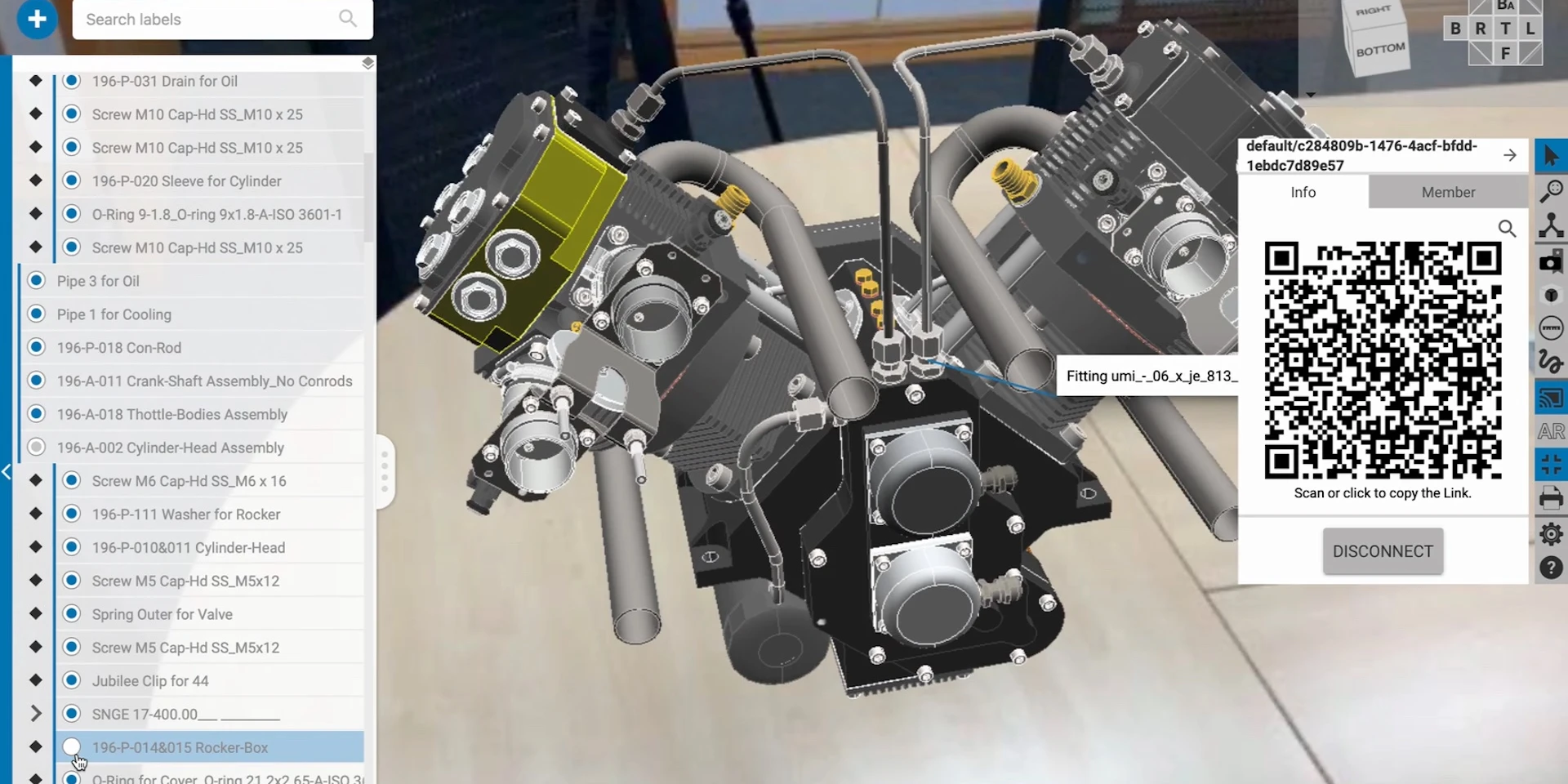
The app bridges web-based applications and device APIs to make sensor data like video streams or camera pose (e.g ARKit SLAM-Pose) information usable for local compute or even to be shared in a 3D Space, e.g. enabling users to become remote spectators in collaborative sessions.
New Feature and Updates
- Official iOS App for iPhone and iPad released
- VR Windows App with Session and 3D Space support (Alpha)
- Media/Video Streaming in Collaborative Session (e.g spectators in AR Session)
- Improved visuals with opaque and transparent parts
- Improved cache generation in managed cloud environments
- Improved Helm Chart integration flow
- Improved JT legacy support
Extensive Documentation overhaul including videos and tutorials
instant3Dhub 3.2 Released
From DMU to collaborative XR Sessions: New Engineering Feature for your Apps
instant3Dhub's outstanding architecture brings together the best of engineering tools and cutting-edge cloud technologies. This allows any application developer to go beyond visualisation and access data at all levels facilitating massive 3D assemblies on desktop, mobile and XR devices. The 3.2 release extends instant3Dhub's core services delivering even more engineering features for existing and new applications.
New Features and Updates
- Multi-CAD and format negotiation support within a single gateway
- Unified point, edge and face addressing model for mesh and BREP data
- Queries on advanced PMI configuration
- Advanced clipping planes with capping and measurement support
- Improved model-tracking performance and features
- Extended 3D Space API
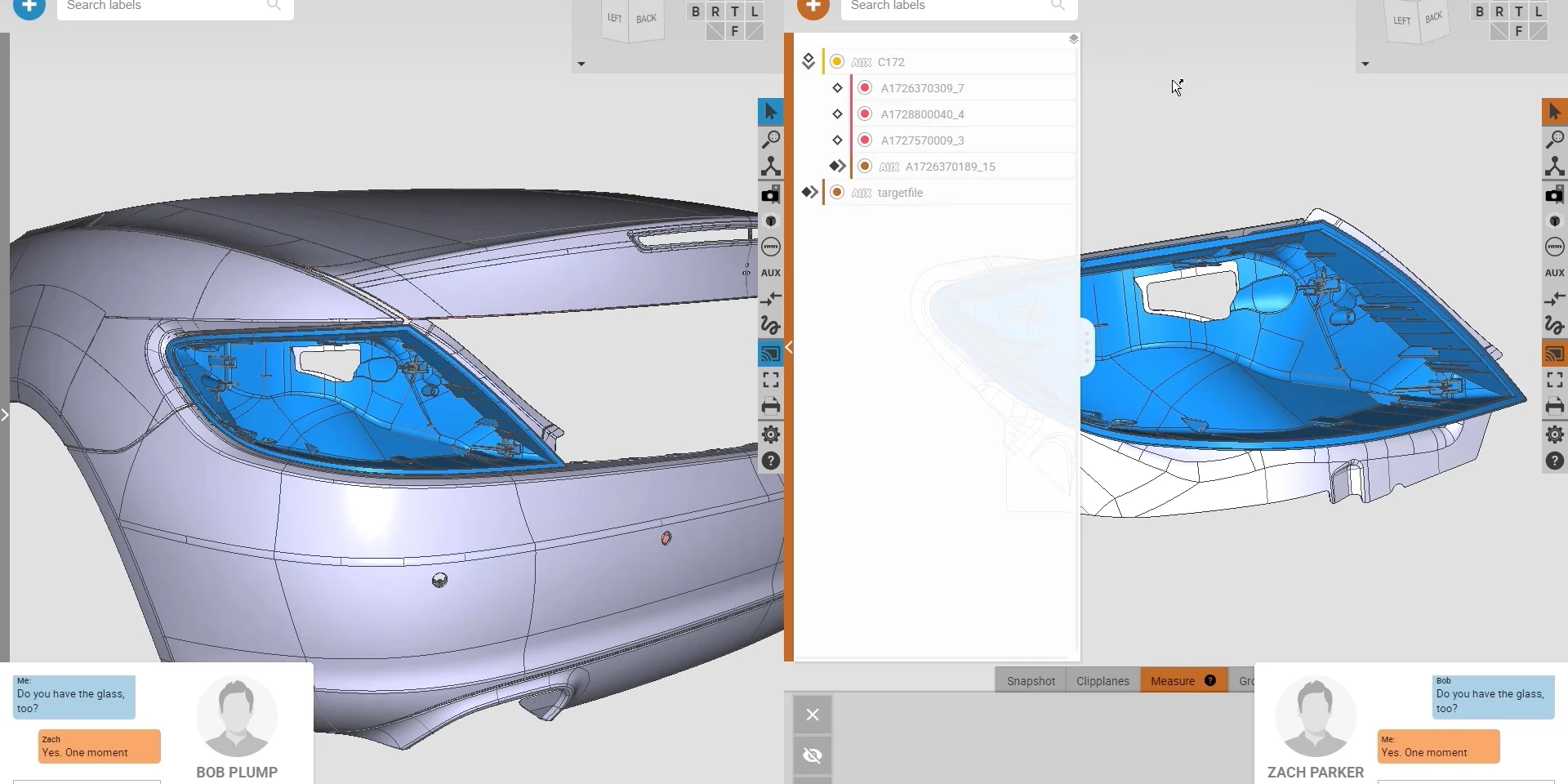
- Collaborative Sessions with 3D data authorisation per user
instant3Dhub 3.1 Released
Even more Any Data: Access Native CAD Data in the Cloud
Following the new quarterly release cycle we bring the second release in 2021. The major feature update comprises a reworked and harmonized set of CAD readers to transcode the growing number of formats instant3Dhub supports without any external dependencies. This enables our customers to process massive amounts of linked data in parallel with the given autoscaling environments, such as Kubernetes. Now even with Drag&Drop Support.
New Feature and Updates
- Independent and cloud-ready native CAD readers
- New 3DSpace API to manipulate and persist 3D Data composition directly
- Improved scaling capabilities and support for Autoscaling
- Documentation overhaul
- Cloud-GPU support
- Generic Drag&Drop support

instant3Dhub 3.0 Released
Release Brings Core Architecture Changes
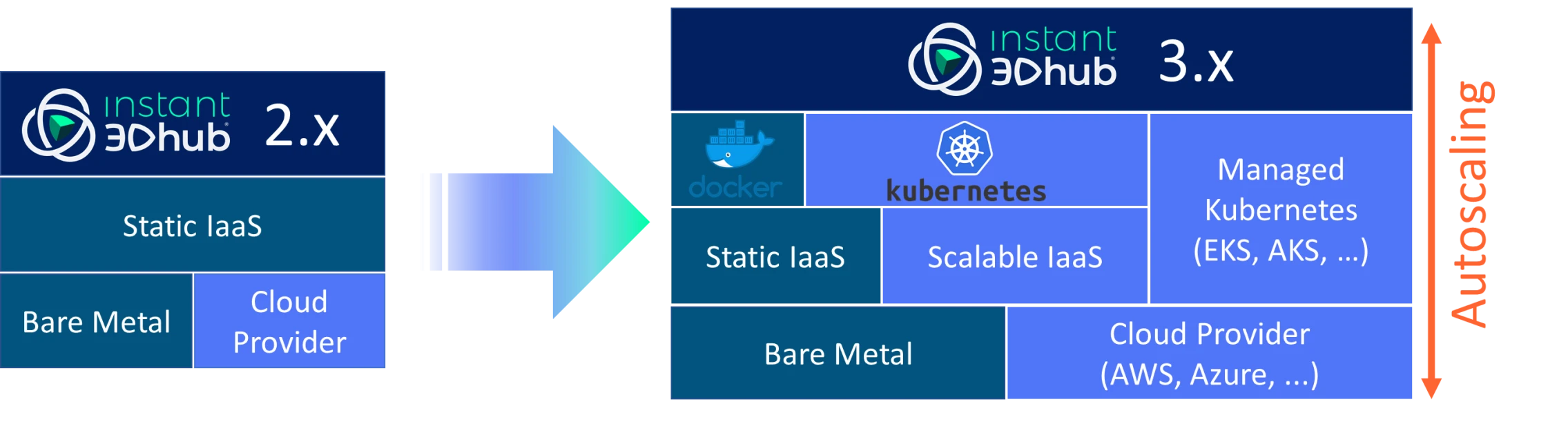
Balancing compute between client and server components has been one of instant3Dhub's core automation challenges since the beginning. We invested a lot of development and testing resources to move data and services in distributed environments consistently.
Moving from specific to generic service structures in our first major release since years allows instant3Dhub to rely on established technologies to scale even better in standard PaaS environments, e.g AWS or Azure. The allows us, our partners and customers to move existing or new instant3Dhub solutions from on-premise to cloud and hyperscaling environments.
The platform update does not affect the client side APIs or existing data gateways, so existing instant3Dhub-based applications can be transferred with minimal effort.
New Software Provisioning and Release Cycle
Starting with version 3.0 instant3Dhub releases are provided as a set of platform-independent containers. Installation files and images are available through our release repository.
With the arrival of 3.0 we also switch from a feature to time based release schedule. For 2021 we are planning one minor release each quarter.
Discover how enterprise teams use instant3Dhub to collaborate, train, and make decisions faster.